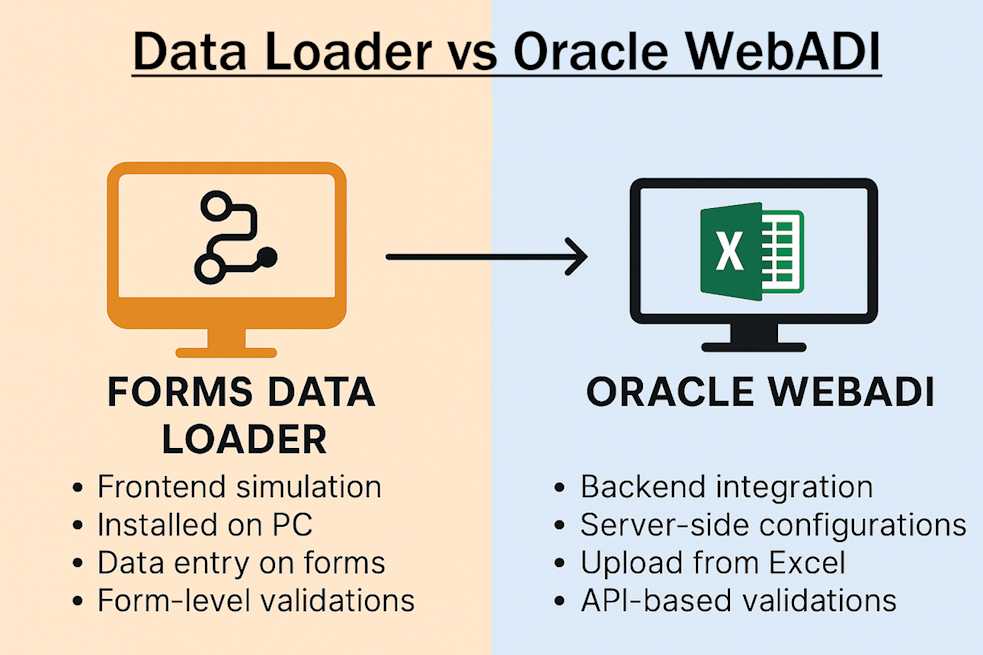
Data loading is an essential activity in any Oracle E-Business Suite (EBS) implementation or support project. Two popular tools widely used for data uploads into Oracle EBS are Forms Data Loader and Oracle WebADI (Web Applications Desktop Integrator). While both simplify bulk data entry, they differ significantly in their approach, usage, technical implementation, and licensing.
This article explores the differences between Data Loader and Oracle WebADI in detail to help you choose the right tool for your business needs.
What is Data Loader?
Data Loader also known as Forms Data Loader is a third-party automation tool that inputs data into Oracle EBS or any other Windows application by simulating keyboard actions. It prepares data in spreadsheet format and plays it back into forms as if a user is manually typing it.
Key Features:
Works with Oracle Forms (6i, 10g, 11i, R12) without server-side installation.
Automates data entry into any Windows or web-based form.
Requires no technical setup or API integration.
Easy to use for non-technical end users.
Useful for mass transactions, repetitive tasks, and testing.
Offers exclusive HTML Data Loader for web-based forms on Google Chrome, Mozilla Firefox, Internet Explorer and Microsoft Edge .
What is Oracle WebADI?
Oracle WebADI is a built-in Oracle EBS feature that integrates Microsoft Excel with Oracle for bulk data uploads. Users enter data offline in Excel templates and upload it directly into Oracle using WebADI integrators mapped to APIs or interface tables.
Key Features:
Available with Oracle EBS license, no separate purchase needed.
Uses Excel templates mapped to Oracle APIs for upload.
Supports validations before data insertion.
Suitable for master data, GL journals, HR, and transactional uploads.
Requires technical setup of integrators by Oracle consultants.
Technical Differences Between Data Loader and Oracle WebADI
| Aspect | Forms Data Loader | Oracle WebADI |
|---|---|---|
| Technology | Frontend simulation using keyboard automation. | Backend integration with Oracle APIs and interfaces. |
| Installation | Installed on user’s Windows PC, no server setup required. | Uses Oracle server-side configurations with Excel integration. |
| Data Entry Mode | Inputs data on forms as if typed by a user. | Direct upload from Excel to Oracle database tables. |
| Validation | Uses form-level validations during entry. | Validates using Oracle APIs before data insertion. |
| Custom Integrations | No coding needed. Uses existing forms screens. | Requires technical expertise for custom integrators. |
| Speed | Slower as it simulates keystrokes. | Faster due to direct API-based data insertion. |
| Error Handling | Errors appear during playback on forms. | Generates error report post-upload attempt. |
| Application Coverage | Any Windows or web form. | Only Oracle EBS modules configured for WebADI. |
Usage Differences
When to Use Data Loader?
For quick automation without backend integration.
When APIs or open interfaces are unavailable.
To automate repetitive data entry tasks or testing.
For non-Oracle applications with forms-based data entry.
When to Use Oracle WebADI?
For standard Oracle EBS supported uploads with validations.
When data integrity and performance are crucial.
For uploading large volumes into Oracle backend efficiently.
Requires technical setup for custom integrators.
Licensing and Cost
| Data Loader | Oracle WebADI |
|---|---|
| Purchased separately from Data Loader vendors. | Included with Oracle EBS license. |
| Pricing depends on edition (Standard, Professional). | No additional purchase required. |
Pros and Cons
Forms Data Loader
✅ Pros:
Quick and easy setup.
No Oracle backend access needed.
Can be used by technical and non-technical users.
Works with any application form, not just Oracle EBS.
All data validations are performed since data is loaded as if user is manually typing
❌ Cons:
Since data is loaded through front end forms the speed is not that fast comparing to direct API uploads.
Form layout changes may require loader adjustments.
Oracle WebADI
✅ Pros:
Direct backend integration ensures data accuracy and speed.
Supports mass uploads.
Generates detailed error reports for corrections.
❌ Cons:
Requires technical setup for new integrators.
Limited to Oracle EBS modules only.
Less flexible for non-Oracle applications.
Which Tool Should You Choose?
| Scenario | Recommended Tool |
|---|---|
| Uploading standard Oracle data with no technical knowledge | Data Loader |
| Automating repetitive data entry without backend access. | Data Loader |
| Uploading data into non-Oracle applications or web forms. | Data Loader |
| Mass data uploads with backend integration for performance. | Oracle WebADI |
Both Forms Data Loader and Oracle WebADI are valuable tools for data uploads in Oracle EBS but cater to different needs:
Forms Data Loader is ideal for general-purpose frontend data entry automation across Oracle and non-Oracle applications.
Oracle WebADI provides a robust, validated, and high-performance solution for mass data uploads directly into Oracle EBS.
Analyze your business requirements, data volumes, and technical capabilities to choose the tool that best fits your organization’s data loading strategy.