After you purchase the full version, you will receive a download link for the full version and a 20-character serial key in the following format:
XXXXX-XXXXX-XXXXX-XXXXX
By clicking the download link you can download the setup file of the full version of Data Loader. The setup filename would be FDLFullSetup.exe
After successfully downloading the setup file to your computer, please run it to install the full version. This setup file will install both Forms Data Loader and HTML Forms Data Loader tools.
Once it's installed successfully you will see Forms Data Loader and HTML Forms Data Loader icons on the desktop as shown below:
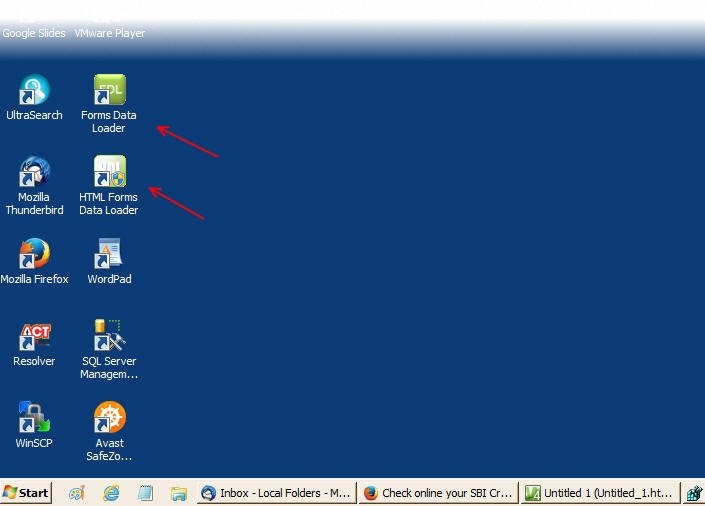
When you run either tool for the first time you will get a dialog box to activate the product as shown below:
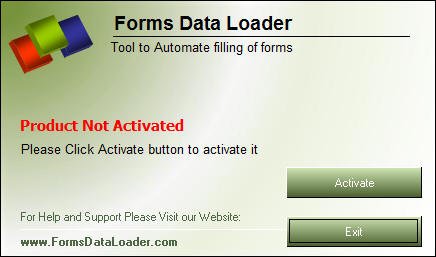
Now to activate, please click on the Activate button and you will get the Activation Wizard as shown below:
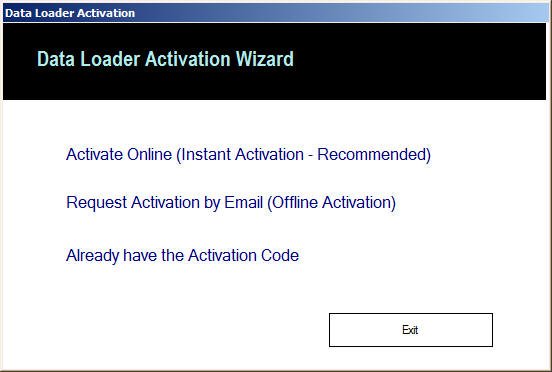
You can activate the product in two ways: Online Activation or Offline Activation.
Online Activation
You can activate it through Online Activation, which will be instantaneous. Once you enter your name, email, and serial key, the product will be activated instantly. Activating one product automatically activates the other product.
However, for online activation the PC should have internet access without any proxies or firewall. The Data Loader should be able to access its activation server through the net. Companies with strict network security may not allow Data Loader to access the internet, and in that case ONLINE activation will not work — you can go for OFFLINE activation instead.
Step by step instructions on how to activate Data Loader through Online Activation
Offline Activation
If you cannot do online activation, you can opt for Offline Activation. In this method the computer where you are activating Data Loader doesn't need to connect to the internet.
For offline activation you need to send us the Activation Request File through email, and then we will send you the Activation Response File to activate it.
Step by step instructions on how to activate Data Loader through Offline Activation