
I’m in the process of preparing Forms Data Loader for silent install with our Desktop management system.
Can you let me know what the switches are to install the package silently and unattended?

You can install Forms Data Loader in Silent(unattended) Mode by using "/SILENT" or "/VERYSILENT" parameters.
The "/SILENT" parameter install the software without any prompts but shows the progress dialog
The "/VERYSILENT" parameter install the software without any prompts and does not even shows the progress dialog
For example to install Forms Data Loader Standard Edition in silent mode, please give the following command
C:\downloads\FDLFullSetup.exe /SILENT
To install it in very silent mode i.e. in which even progress bar is not shown please issue the following command
C:\downloads\FDLFullSetup.exe /VERYSILENT
Can Data Loader load data into multiple forms?
Can Forms Data Loader work if I need to enter in data onto different forms? For example, below I need to enter in a value in the Name field. This value is copied from a Excel spreadsheet. I need to click the Find button, and click New.
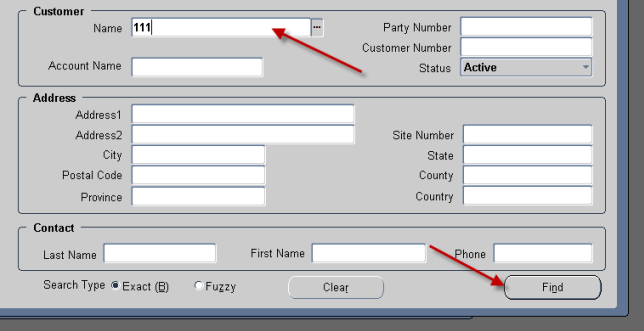
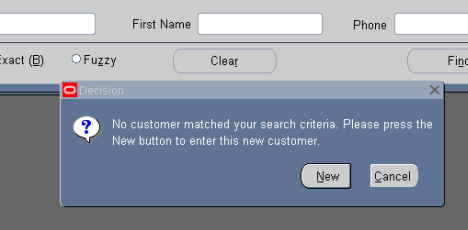
Now I need to enter in data in the form below. Is this possible with a macro?
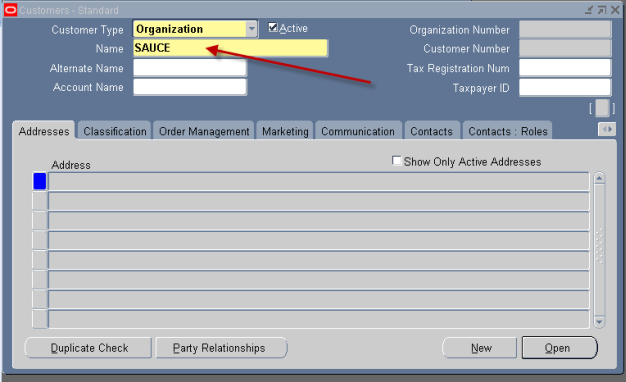
Yes of course you can enter data in multiple forms using Data Loader.
At the time of recording, whatever data you enter FDL will record all the action and while playing back it will repeat the same actions even mouse clicks also.
You might need to insert Time Delays in between cells to avoid mismatch between the speed with which Data Loader sends the data to the target form and time taken by the target application to process it.
And also please try loading the data with slowest speed by adjusting the speed slider to the slow position in loading option window.
For troubleshooting please refer to FAQ page at https://www.formsdataloader.com/frequently_asked_questions.htm