Oracle E-Business Suite (EBS) has long been a stalwart in enterprise resource planning, and its use of Java applet forms has been a standard in accessing certain functionalities. As browsers evolve, configuring them to run Java applets seamlessly becomes crucial. Microsoft Edge, with its modern architecture, requires specific configurations to run Oracle E-Business Suite Java applet forms effectively. In this article, we'll explore step-by-step instructions to configure Microsoft Edge for a smooth Oracle EBS experience.
Download Dataloader
The most popular and frequently updated data loader
for loading data into any Oracle EBS forms
Prerequisites:
Before starting the configuration process, ensure the following prerequisites are met:
Oracle E-Business Suite Access: Have access to the Oracle E-Business Suite instance where Java applet forms need to be run.
Administrator Privileges: Ensure you have administrative privileges on your Windows machine.
Java Runtime Environment (JRE): Install the latest version of JRE on your machine. You can download it from the official Oracle website.
Configuration Steps:
Follow these steps to configure Microsoft Edge for Oracle E-Business Suite Java applet forms:
Step 1
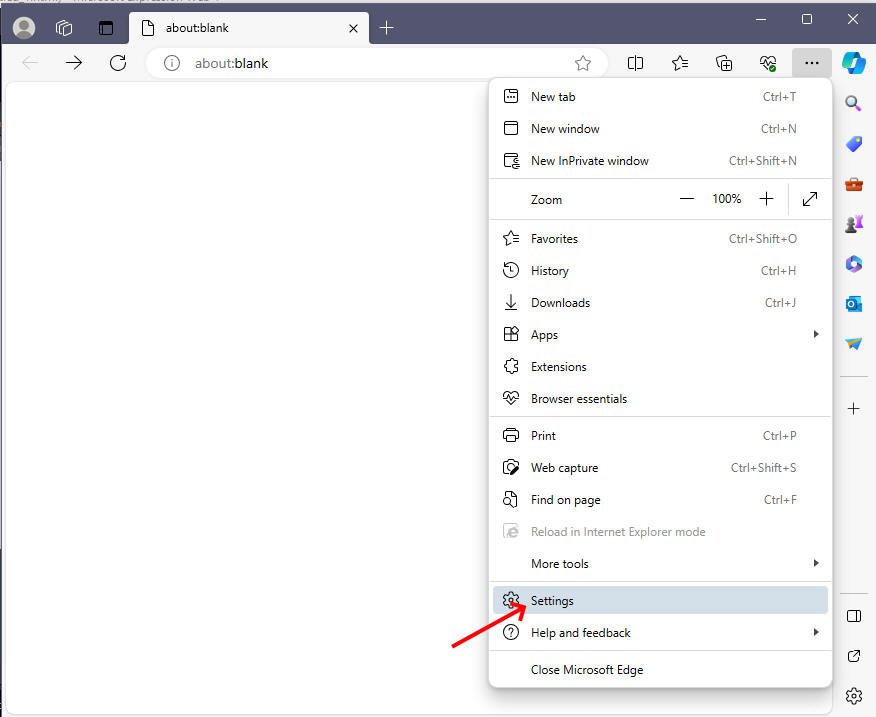
Open Microsoft Edge and click on the three horizontal dots in the upper-right corner to open the menu.
Step 2
Select "Settings" from the menu.
Step 3
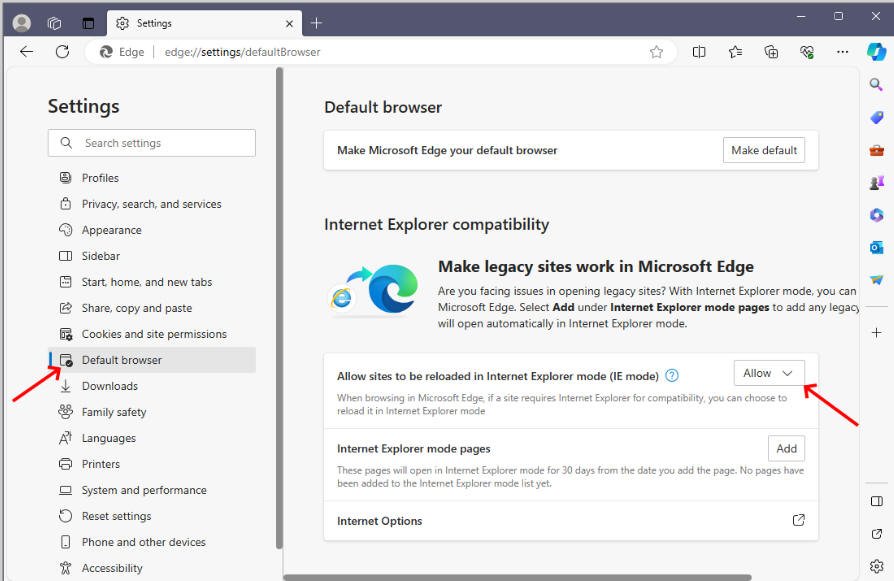
Click on "Default Browser" setting on left side and set "Allow sites to be reloaded in Internet Explorer mode (IE mode)" setting to Allow
Step 4
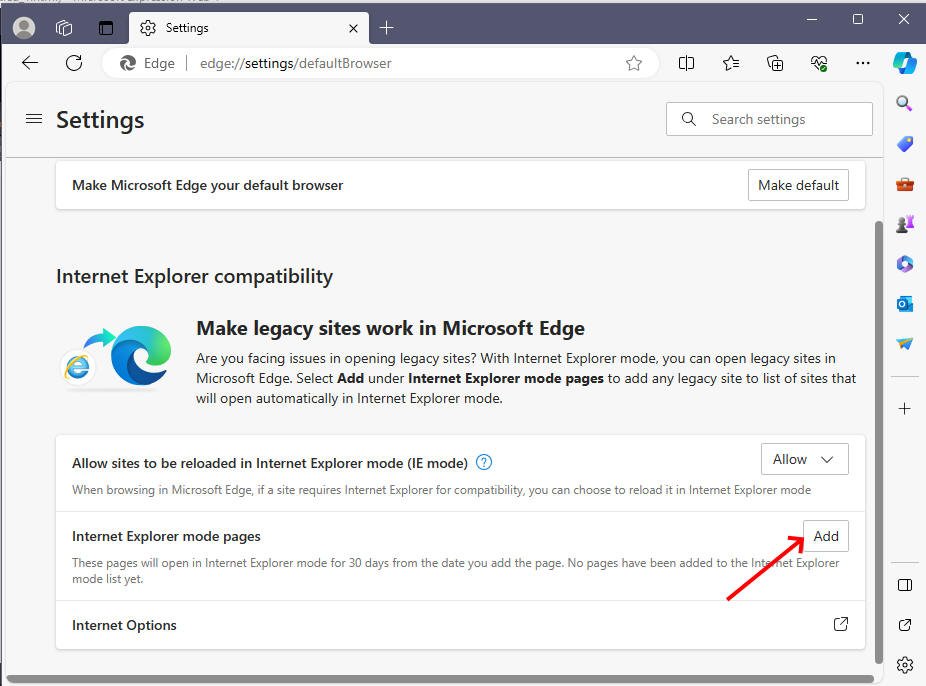
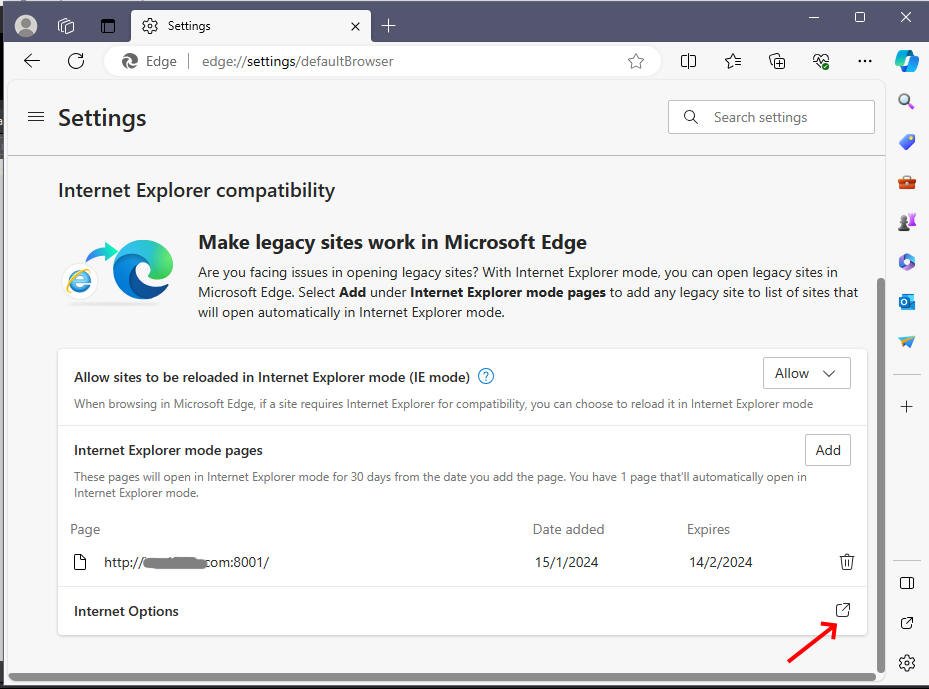
Click on the "Add" button beside "Internet Explorer mode pages"
Step 5
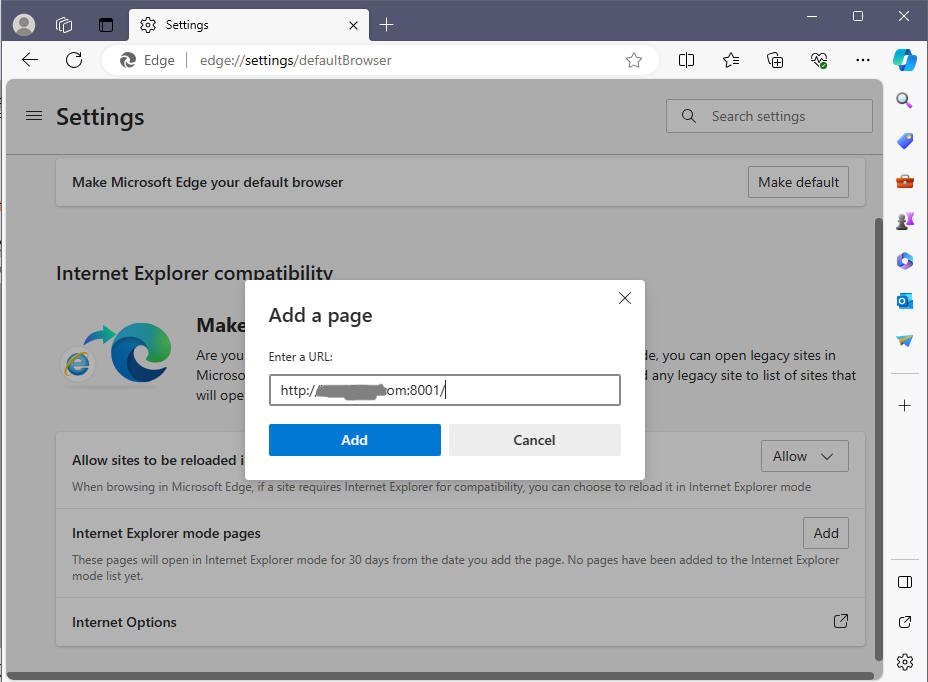
Add your Oracle E-Business launch URL in the prompt dialog and click Add button
Step 6.
Add your Oracle E-Business Suite login URL to Trusted List by doing the following
Click on Internet Options as shown below
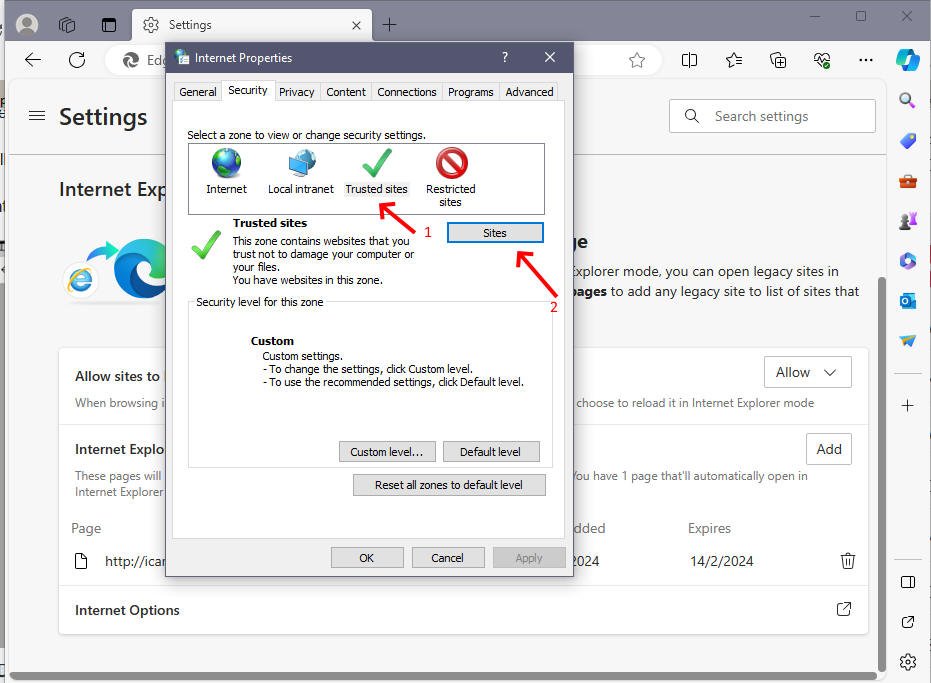
The Internet Properties window will now appear (similar to the one in Internet Explorer). From there, select Trusted Sites and click the Sites button.
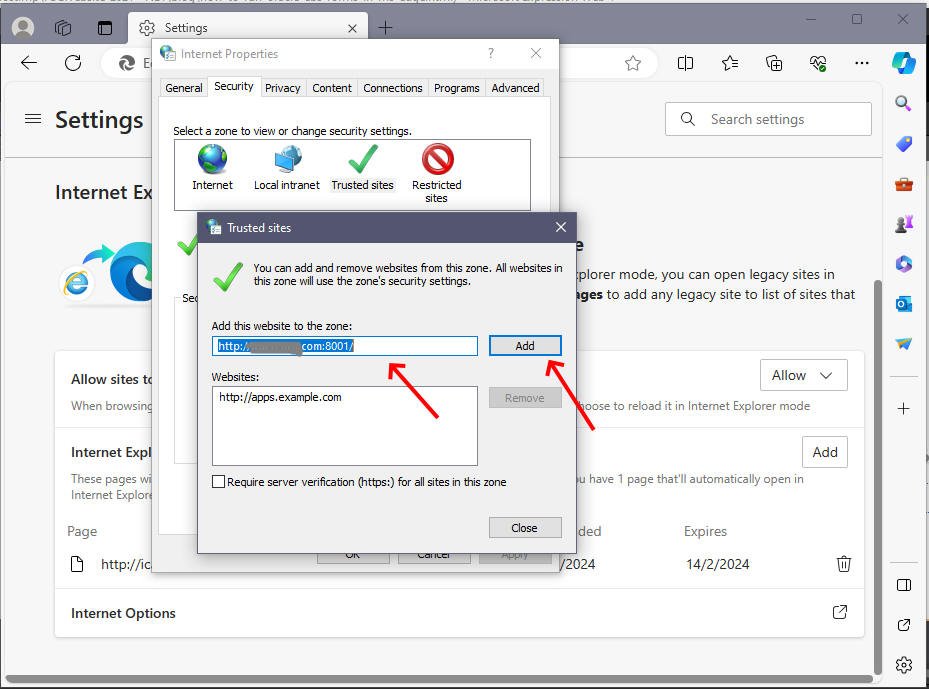
Enter your Oracle EBS Site URL in the space provided and click "Add" button
Step 7
Disable Cross-Site Scripting (XSS) filtering. Otherwise, you'll get the "Internet Explorer has modified this page to prevent cross-site scripting" error, and your forms will not open.
To do this click on Trusted Sites and then Custom Level under Security tab in Internet Properties window as shown below
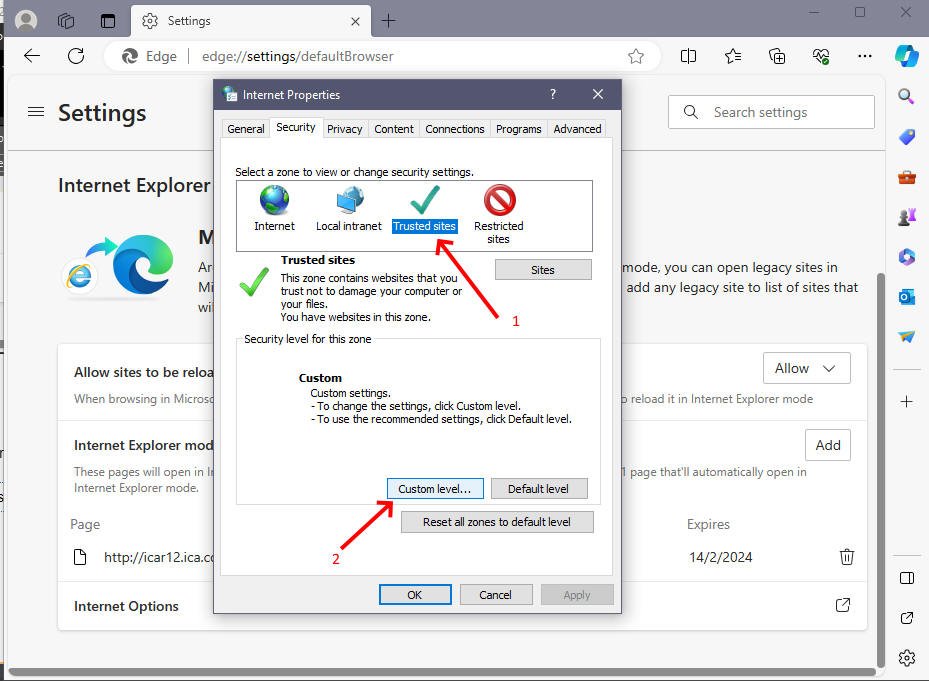
Scroll down the list to find Enable XSS Filter setting and choose Disable under it as shown below
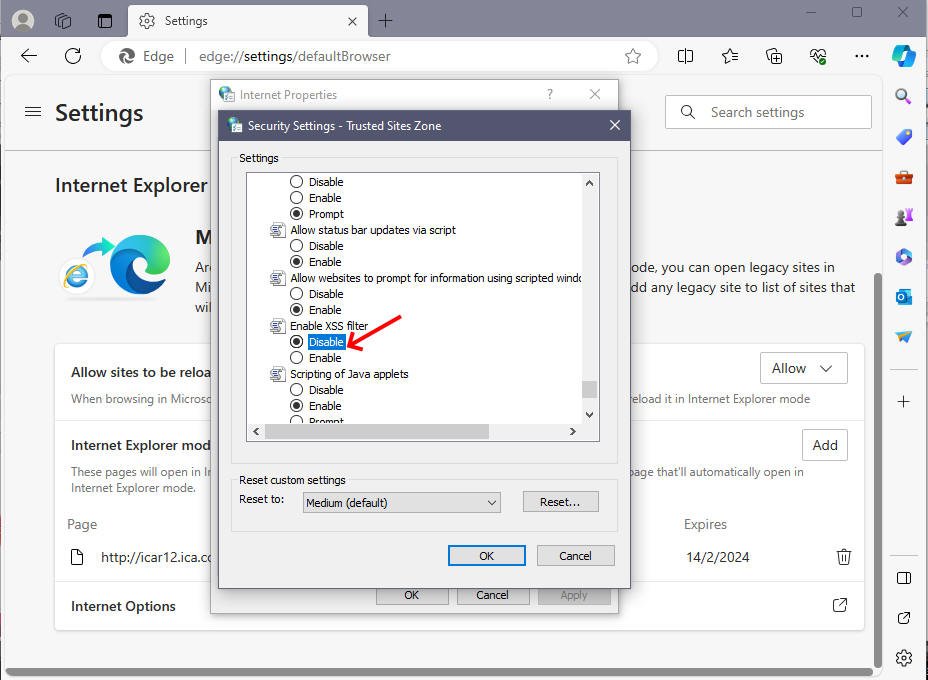
Click OK and that's it, now login to Oracle EBS and click on any application which is based on Java Applet forms and you will see MS Edge using IE compatibility mode to run it
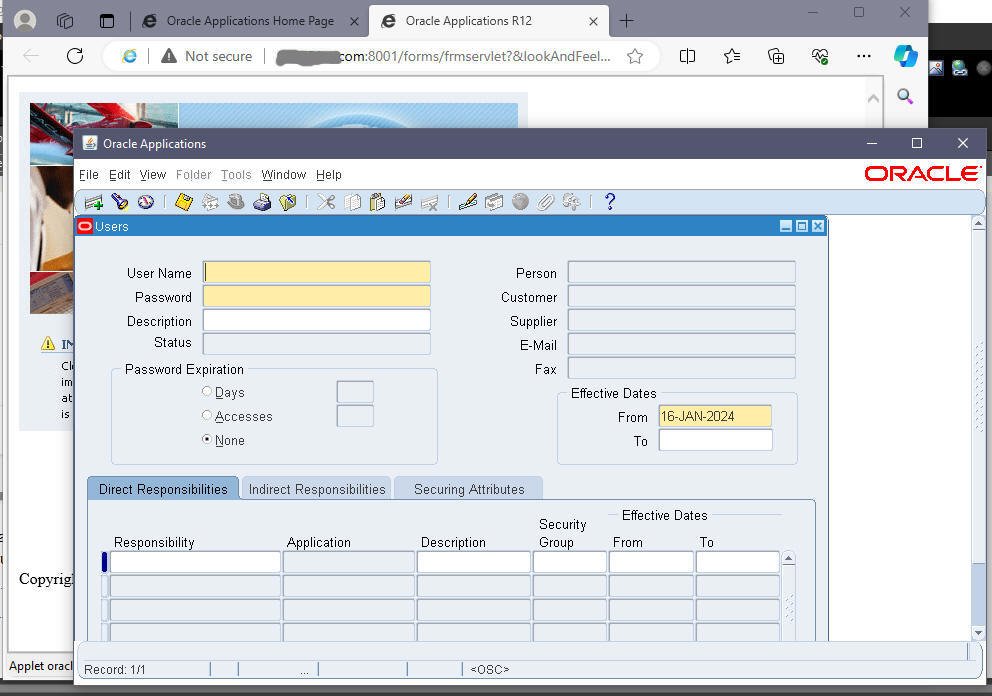
Configuring Microsoft Edge to run Oracle E-Business Suite Java applet forms requires a combination of enabling Internet Explorer mode, adjusting security settings, and using compatibility view. By following these steps, users can ensure a seamless and secure experience when accessing Oracle EBS functionalities through Microsoft Edge. It's important to note that as technology evolves, browsers and Oracle EBS may receive updates, and users should stay informed about compatibility changes and update configurations accordingly.
Thanks