

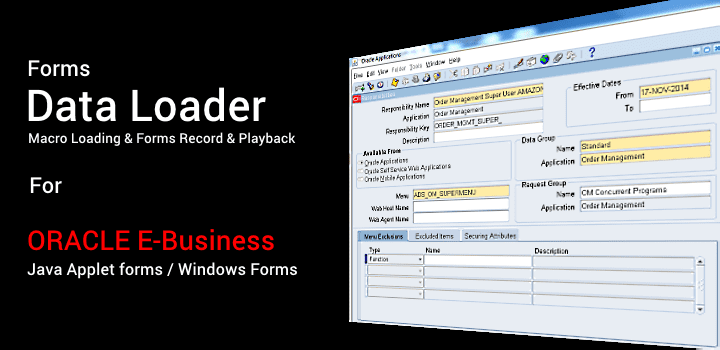
 Forms
Data Loader (FDL) is a tool to load data from Excel or CSV files into
Oracle Apps 11i / R12 through front end forms. It provides an easy to use
and cost-effective solution for loading test or legacy data into Oracle
E-Business Suite. Although it is specially built for loading data into
Oracle, it can be used to load data in any application forms running
under Windows like SAP and others. Requires no special technical
knowledge and can be used by any non-technical end users as data is
loaded through the frontend.
Forms
Data Loader (FDL) is a tool to load data from Excel or CSV files into
Oracle Apps 11i / R12 through front end forms. It provides an easy to use
and cost-effective solution for loading test or legacy data into Oracle
E-Business Suite. Although it is specially built for loading data into
Oracle, it can be used to load data in any application forms running
under Windows like SAP and others. Requires no special technical
knowledge and can be used by any non-technical end users as data is
loaded through the frontend.

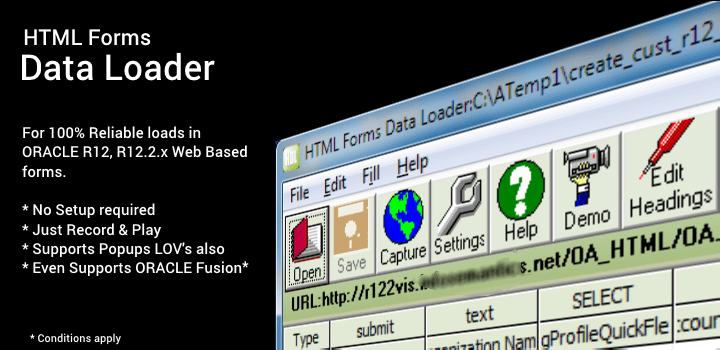
Comes with the latest tool, HTML Forms Data Loader to load data into
Web Forms or
Oracle Applications Self Service Forms which provides 100% reliable loads
without needing any complex setups. A must have for Oracle R12.
Supports Oracle R12.1.x and also Oracle EBS R12.2.3 / R12.2.4 / R12.2.5
/ R12.2.6 / 12.2.7 / 12.2.x
Thousands of happy users worldwide over a course of 16 years! Oracle Apps' most popular Data Loader!









Download
Order
FAQ
Forms Rec. & Play Setup Guide
Data Load for Web Forms
User Guide
Data Load Q&A
Demo Videos
Best
practices for loading data into Oracle E-Business Suite
Compatible with Oracle Applications 10.7, Oracle
Apps 11,Oracle Apps 11i & Oracle Applications R12, R12.2

We are thrilled to share the exciting news of our
recent release, introducing the latest version of HTML Forms Data Loader.
This enhanced version has been specifically designed to seamlessly
integrate with the most popular and up-to-date web browsers, including
Firefox, Edge, and Chrome. By adapting to these modern browsers, we are
ensuring that our users can enjoy a smooth and efficient experience while
utilizing our tool.
Furthermore, this update reflects our
commitment to staying at the forefront of technological advancements and
adapting to evolving trends in the web browsing landscape. With the
announcement of Microsoft discontinuing support for the Internet Explorer
browser, we recognized the need to adapt and provide a solution that
aligns with the industry's shifting focus.
By launching this new
version, we are enabling our users to transition seamlessly to modern
browsers that offer enhanced performance, security, and compatibility.
This ensures that they can continue to leverage the full potential of
HTML Forms Data Loader while benefiting from the latest advancements in
web browsing technology.
We are dedicated to consistently
improving our tool and providing our users with the best possible
experience. This new release is a testament to our commitment to
innovation and our ongoing efforts to meet the needs of our valued users.
We look forward to their feedback and the opportunity to continually
enhance their experience with HTML Forms Dataloader.
The new tool comes with many enhanced
features like
Improve speed.
Cross border support. (Templates recorded in one browser can be run in other browser also)
Doesn't require Windows Admin rights to run it.
The load can run in the background, freeing up
your desktop for other tasks. (Conditional)
100% reliable loads.
Doesn't require any technical skills. Just record once and play functionality
Download HTML Forms Data Loader for Firefox, Edge & Chrome now!
Step by Step Guide on how to use HTML Data Loader for Firefox, Edge & Chrome
The answer is simple there is no direct way to modify data in Oracle Apps tables as Oracle Corporation says
"Do
Not Use Database Tools to Modify Oracle Applications Data
Oracle provides powerful tools you can use to create, store, change,
retrieve and maintain information in an Oracle database. But if you use
Oracle tools like SQL*Plus to modify Oracle Applications data, you risk
destroying the integrity of your data and you lose the ability to audit
changes to your data.
Because Oracle Applications tables are interrelated, any change you make
using an Oracle Applications form can update many tables at
once. But when you modify Oracle Applications data using anything other
than Oracle Applications forms, you may change a row in one
table without making corresponding changes in related tables. If your
tables get out of synchronization with each other, you risk retrieving
erroneous information and you risk unpredictable results throughout
Oracle Applications.
When you use Oracle Applications forms to modify your data, Oracle
Applications automatically checks that your changes are valid. Oracle
Applications also keeps track of who changes information. But, if you
enter information into database tables using database tools, you may
store invalid information. You also lose the ability to track who has
changed your information because SQL*Plus and other database tools
do not keep a record of changes.
Consequently, we STRONGLY RECOMMEND that you never use SQL*Plus, Oracle
Data Browser, database triggers, or any other tool to
modify Oracle Applications tables, unless we tell you to do so in our
manuals. "
Oracle does provide Open Interface tables but, it is tedious exercise to load data using Open interface tables. Our tools are useful as they load the data from Front End Forms as though entered by a user and thus all the validations are performed.
Forms Data Loader loads the data using the following methods
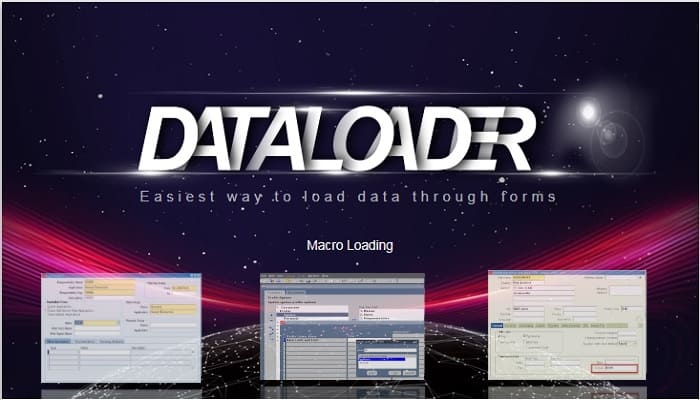
Simulating Keystrokes (Macro Loading)
Forms Record and Playback Feature
HTML Forms Data Loader to load data into Oracle Self Service Forms (Web Forms)
Forms Data Loader fills data in Forms by simulating keystrokes as though type by a user. It provides a spreadsheet interface where you can enter the data and keystrokes to send to the forms. Building Load is quite easy, you can learn building data loads by just spending few minutes. We provide a series of demos which demonstrates how the loads are developed and how FDL works. Although it is specially focused to load data into Oracle ERP Applications, it can be used to load data in virtually any type of application form whether it is SAP or HTML or any other application More...
To Learn more about loading the data using macros click here
Now build
loads instantly using Macro Recording feature
Here is a Step by Step Guide on how
to create Data Loader Templates easily using Macro Recording

Using this feature Forms Data Loader can be used to load data accurately and several times faster than Macro Loading. It is more reliable, the load will stop whenever an error comes, It is because Oracle Forms will execute the load. You use Forms Data Loader just for developing the load.
Using this method you can load the data in Oracle Apps by performing the following Steps.
Step 1
Run the Oracle Application Forms in record mode and enter 2 or more
records in whichever form you want to load the data.
Step 2
Open the recorded file in Forms Data Loader and add records by entering
directly or by importing from a CSV file or Excel or any other delimited
file
Step 3
Then Play the file saved in Step 2 by running Oracle Application
Forms in Playback Mode.
This method is accurate and handles all errors and nearly 10 times faster than macro loading.
To Learn more about Forms Record and Playback Feature click here
HTML Forms Data Loader (HDL) is a separate tool, which comes with Forms Data Loader, to load data from CSV / Delimited / Databases into an HTML Form. It is a supplement to Forms Data Loader Tool which uses Macros to enter data in Forms. Since, HTML forms usually does not provide any Alt Keys (Hot Keys) it is quite difficult to load data into HTML forms using Forms Data Loader through Macros and Forms Record and Playback is impossible in HTML form. We used to get lot of mails from users expressing difficulty in loading data using Macros and they wanted a easy solution to load data in HTML forms. HTML Forms Data Loader is an answer to all these requests
For More Information about HTML Forms Data Loader Please Click Here
Data Loader for Oracle EBS R12 Self Service pages Video Demos
Create Customers using Data Loader in Oracle E-Business Suite R12
Over the span of 16 successful years, our esteemed Oracle Apps' Data
Loader has become the go-to solution for thousands of delighted users
across the globe. Our tool's unmatched popularity and widespread adoption
have solidified its position as the leading choice among Oracle Apps
users seeking seamless data loading capabilities.
The overwhelming
support and positive feedback we have received from our loyal user base
are a testament to the reliability and effectiveness of our Data Loader.
It has consistently delivered exceptional results, empowering users to
efficiently load data into their Oracle Applications with ease and
accuracy.
What sets our Data Loader apart is its intuitive
interface, robust functionality, and comprehensive features that cater to
the unique requirements of Oracle Apps users. From small businesses to
large enterprises, our tool has proven its versatility and scalability,
ensuring a seamless data loading experience regardless of the
organization's size or complexity.
Our commitment to continuous
improvement and customer satisfaction has been the driving force behind
the popularity of our Data Loader. We have actively sought user feedback,
incorporated innovative features, and adapted to the evolving needs of
the Oracle Apps ecosystem. As a result, our tool has evolved alongside
the industry, providing cutting-edge solutions that streamline data
loading processes and optimize efficiency.
The success and trust
bestowed upon our Oracle EBS Data Loader have fueled our dedication to
further enhance its capabilities and expand its reach. We remain devoted
to delivering exceptional value to our users, empowering them to maximize
productivity, minimize errors, and unlock the full potential of their
Oracle Applications.
Join the ranks of our satisfied users and
experience firsthand why our Oracle Data Loader has earned its
well-deserved reputation as the most popular choice in the industry.
Together, we can embark on a journey of streamlined data loading,
unmatched efficiency, and unrivaled success.